
Our own app · Android
WatermarkMyID: watermark an ID photo before you share it
Our own Android app on Google Play. It adds a watermark to photos of ID cards, passports and other documents on the phone, so a shared copy says who it is for and what it may be used for.
30 minutes. A clear next step.
- Client
- Our own product
- What it does
- Watermarks ID and document photos
- What we built
- An Android app, on Google Play
- Timeline
- Oct – Nov 2026, in production since 12 Nov
01 / The client
WatermarkMyID
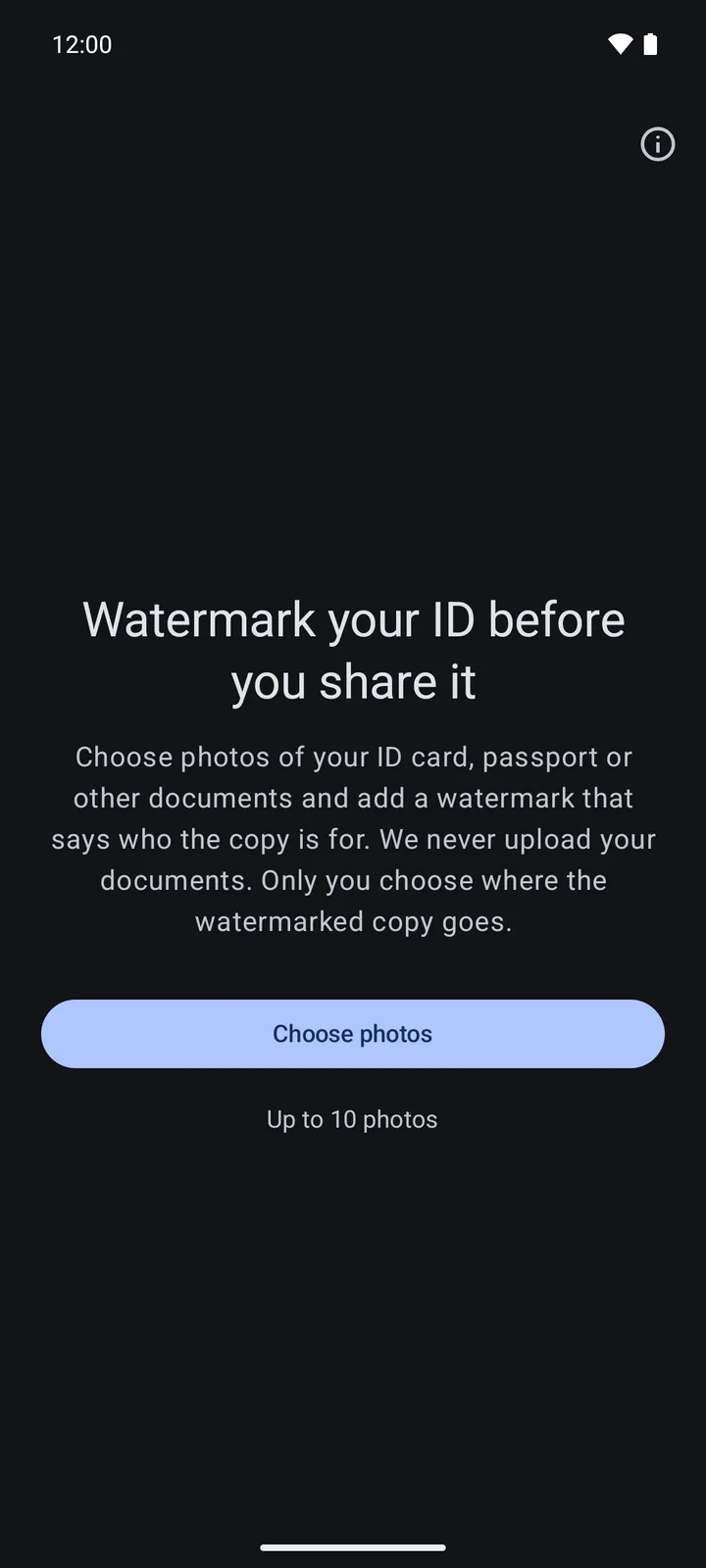
People send photos of their ID card or passport to prove who they are, for example to open a bank account. Once that photo is sent, it can be reused for something else. We built WatermarkMyID, our own app, for the moment just before it is sent.
What they needed
Put a clear watermark on the photo in a few seconds, saying who the copy is for and when. Do it on the phone, with no upload and no account: the app never uploads the documents, they are processed only on the phone.
02
What we built
Up to 10 photos at once
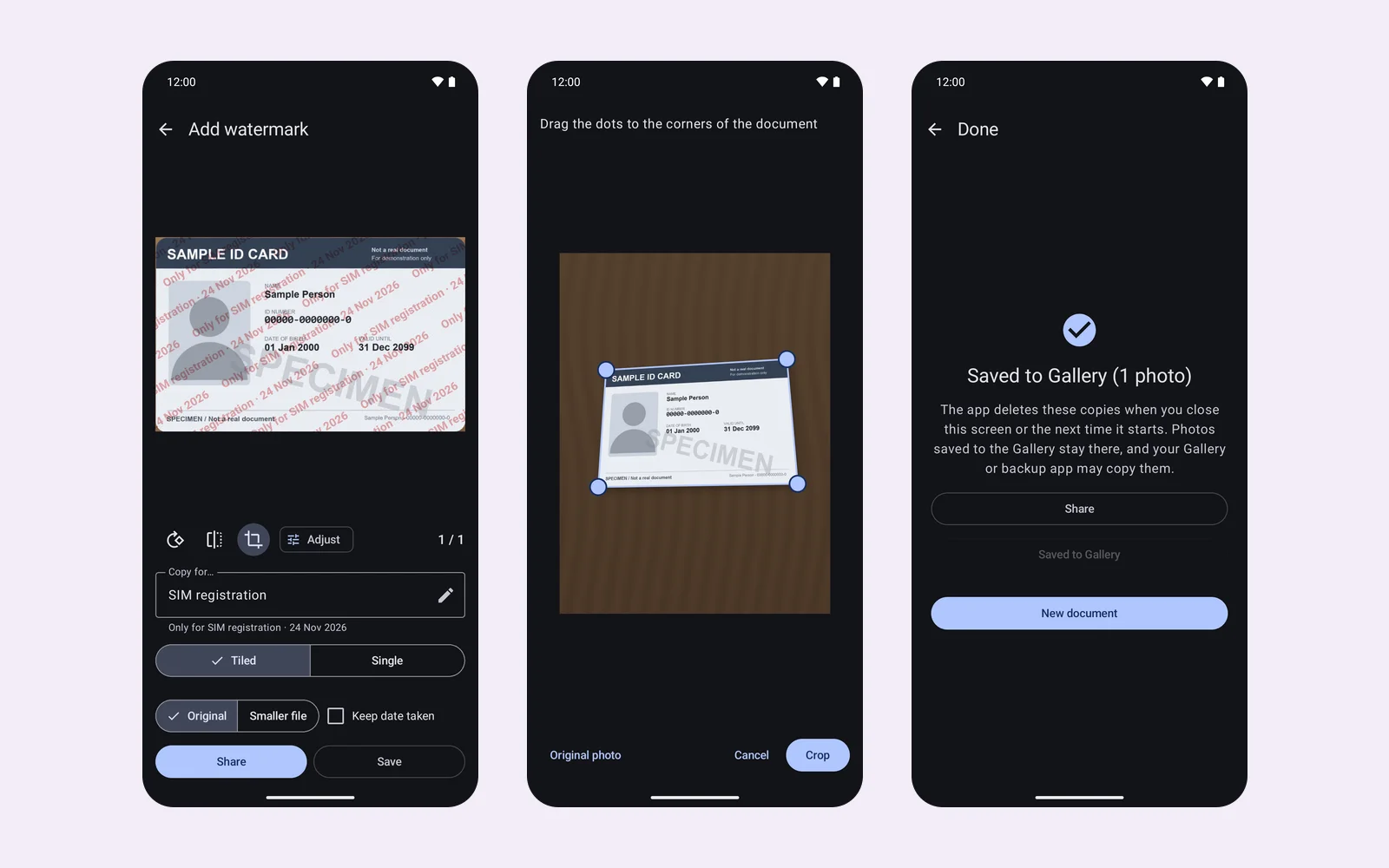
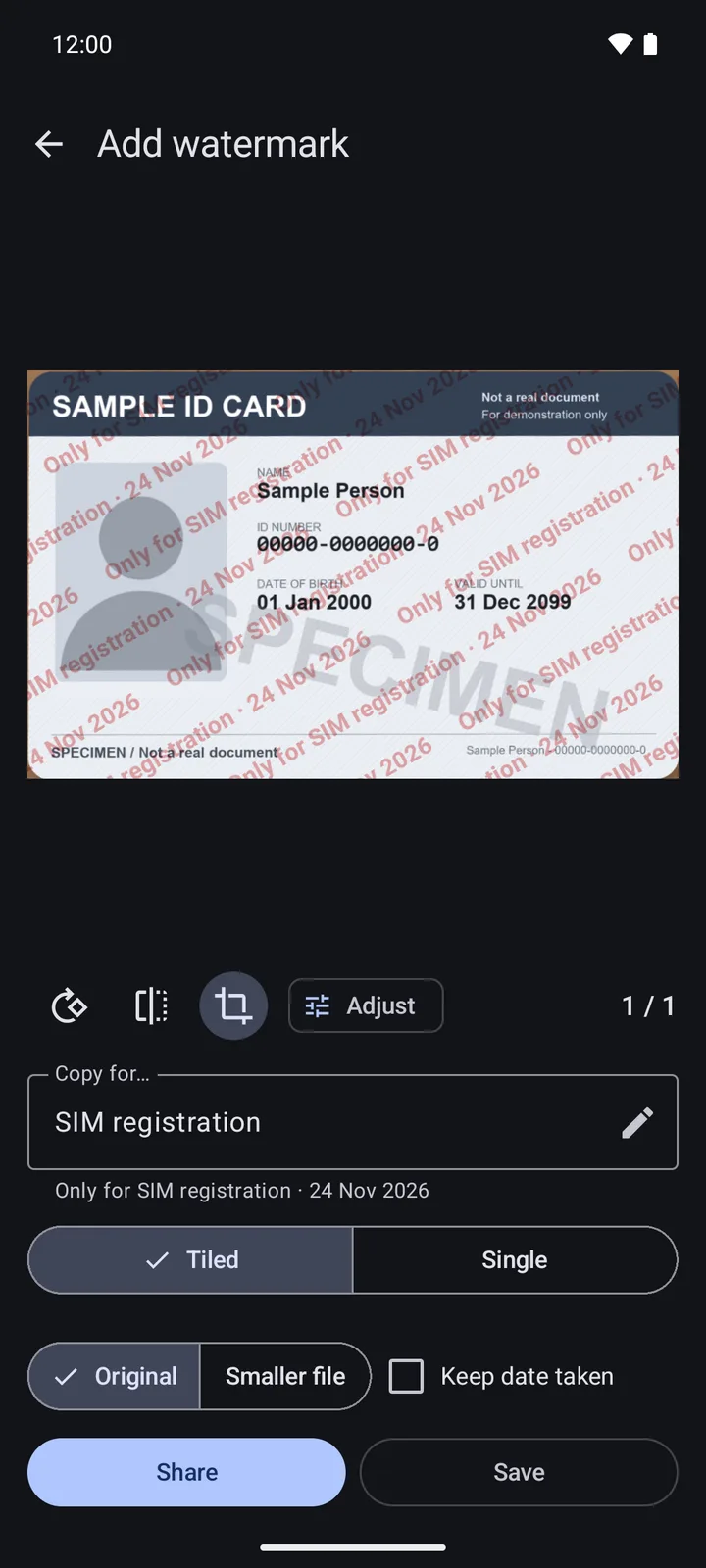
Pick the front and back of a card, or a few pages, through Android's own photo picker. One watermark goes on every page, with rotate and flip for sideways photos.
A watermark that says who it's for
Type who the copy is for and the text reads "Only for <name> · <date>", with today's date filled in. The last 10 names come back as one-tap chips.
Your look, remembered
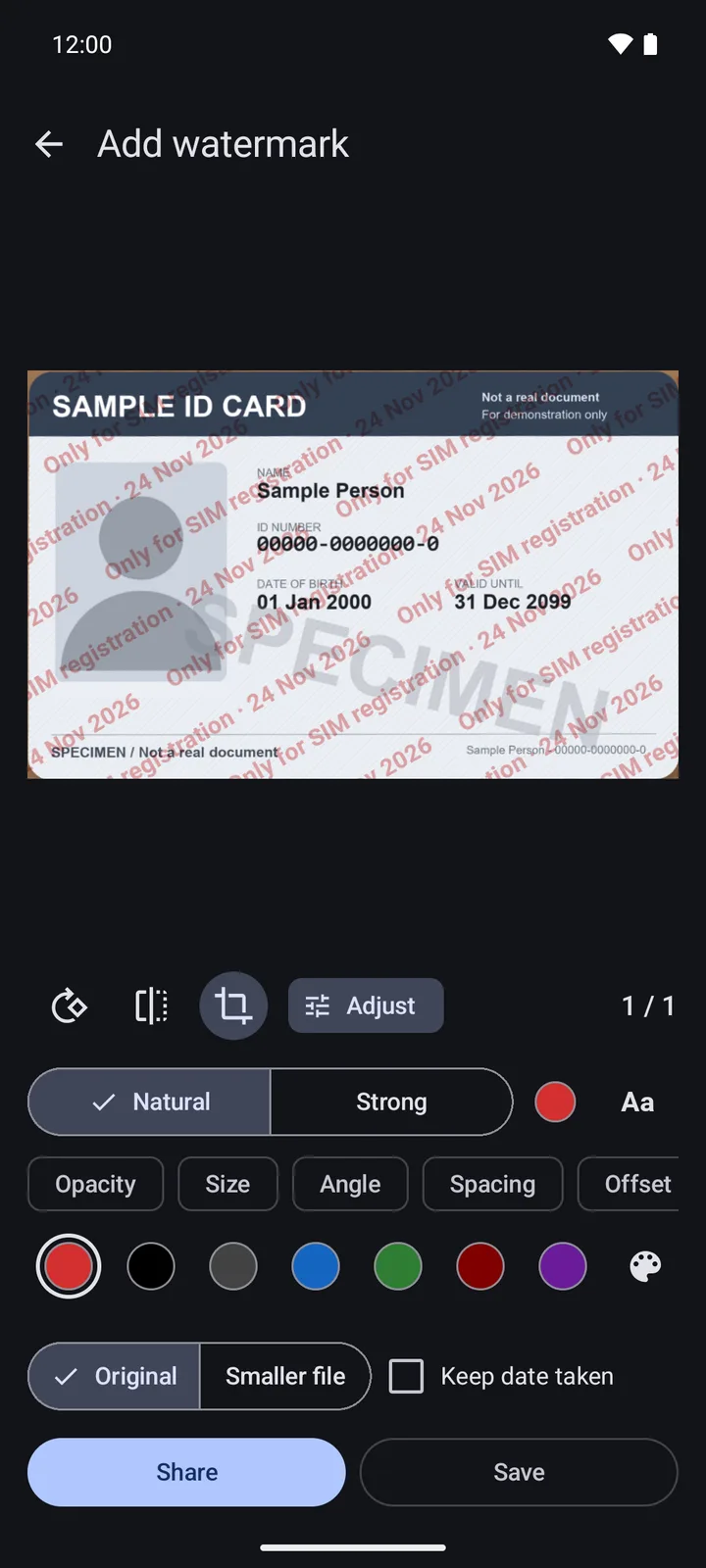
Tiled across the photo or a single mark, Natural or Strong, with sliders for opacity, size, angle and spacing, 7 colours plus a picker and 4 fonts. The app keeps these settings on the phone for next time.
Finds the document
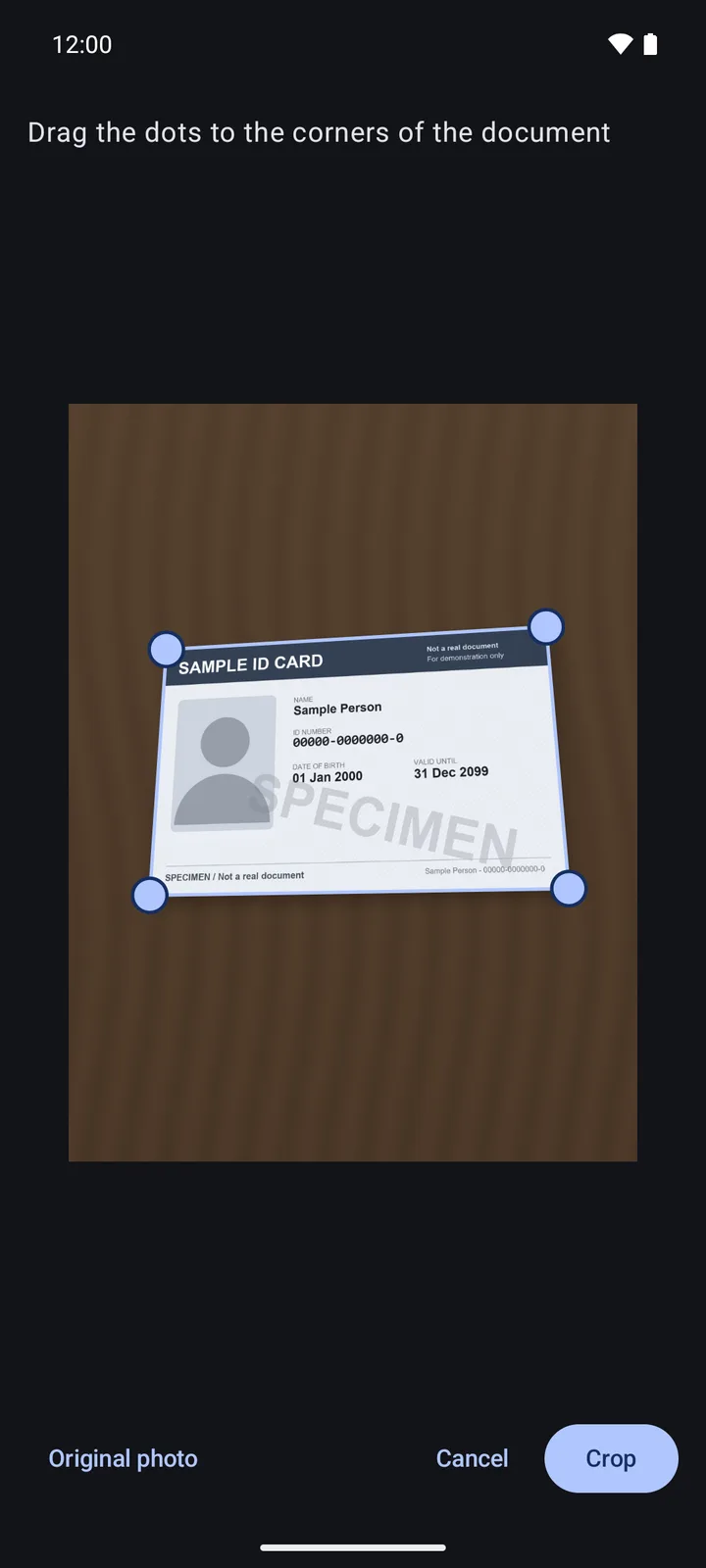
When the app finds the card in the photo, the watermark goes on the card, not the table around it. A crop screen lets the user move the corners and straighten the document.
Clean copies
Location and other hidden photo data are removed from the copy (the date taken can be kept), and the file name never includes the recipient or the original photo's name. Export at full resolution or as a smaller file.
Temporary copies deleted
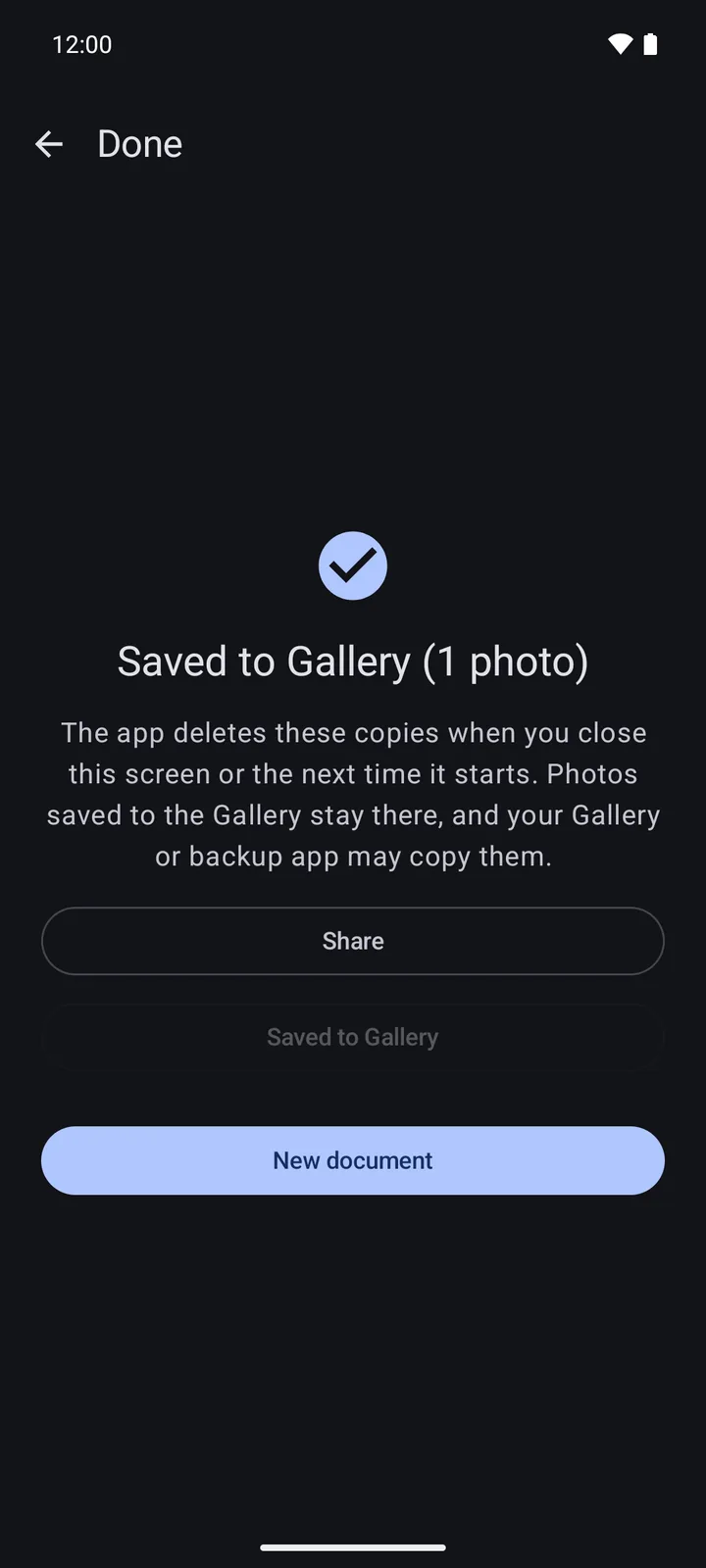
Share the copy or save it to the gallery. The app's own temporary copies are deleted, and the app hides its screen in the recent-apps view.
How it works
Everything happens on the phone. Version 1.3, on Google Play since 12 November, asks for no internet permission and collects no data. To find the document in a photo we looked at on-device machine-learning models and set them aside for now, because we found no production model with clear licences for its weights. We wrote our own detector in plain Kotlin instead, built from edges, lines and colour, with no model and no native code.
03
Screens
Real screens from the software, with sample data.
04
How we built and tested it
The project was set up on 5 October, and the first test build reached Google Play's closed testing on 8 October. It grew release by release: colours and fonts in 1.1, then remembered settings and document detection in 1.3, which went to production on 12 November. Every pull request runs lint, static analysis, the unit tests, a release bundle build and a check of every permission in the final manifest. At 1.3 the app had 2,451 unit tests and 578 tests that run on a real phone. Early on, a performance pass cut the export of an upright 12-megapixel page on our test phone from 5.1 s to 1.26 s (release build, average of 3).
Delivery in numbers
- from setting up the project (5 Oct) to the first test build on Google Play (8 Oct)
- 3 daysfrom setting up the project (5 Oct) to the first test build on Google Play (8 Oct)
- automated tests at version 1.3: 2,451 unit, 578 on a real phone
- 3,029automated tests at version 1.3: 2,451 unit, 578 on a real phone
- to export an upright 12-megapixel page on our test phone, down from 5.1 s
- 1.26 sto export an upright 12-megapixel page on our test phone, down from 5.1 s
- internet permissions in version 1.3, on Google Play since 12 Nov 2026
- 0internet permissions in version 1.3, on Google Play since 12 Nov 2026
Still open
Some documents, like the back of an ID card, are found only with lower confidence, so the watermark covers the whole photo until the user crops. Urdu is planned and not in the app yet.
Built with
- Kotlin
- Jetpack Compose
- Material 3
- Navigation 3
- DataStore
- Android Canvas
Related service: Custom software & full-stack apps
Let's talk
Have an app idea of your own?
Book a free call. Tell us what it should do and who it's for, and we'll tell you what it would take to build and ship it.
30 minutes. A clear next step.